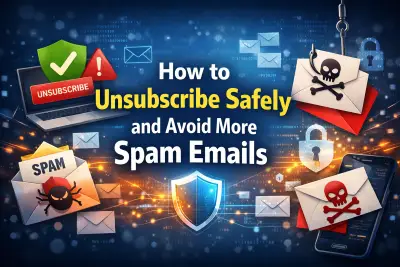
How to Unsubscribe Safely and Avoid More Spam Emails: 9 Smart Ways to Stay Protected
Spam emails are more than a daily annoyance. They waste time, clutter your inbox, and in some cases, expose you to phishing attacks, identity theft, and malware. Many people search for how to unsubscribe from emails safely without getting more spam, but they often discover that clicking the wrong link can make things worse, not better.
You may have wondered, ” Is it safe to click the unsubscribe link in spam emails? The answer is not always simple. Some unsubscribe links are legitimate and required by law. Others are fake traps designed to confirm your email address is active. Once confirmed, your address becomes even more valuable to spammers.
This detailed guide explains how to stop spam emails without confirming your address, explores safe ways to permanently remove yourself from mailing lists, and teaches you how to identify fake unsubscribe links in spam emails. By the end, you’ll have a clear, practical strategy to protect your inbox long-term.
Why Unsubscribing Can Be Risky
Most legitimate companies include an unsubscribe option at the bottom of marketing emails. This is required by anti-spam regulations in many countries. However, cybercriminals exploit this expectation. They create emails that look real, add a convincing unsubscribe button, and wait for users to click it.
When you click a malicious unsubscribe link, several things can happen. The sender may confirm your email is active. You might be redirected to a fake website that asks you to re-enter your address. In worst cases, malware may attempt to install silently in the background.
That is why understanding how to unsubscribe from emails safely without getting more spam is essential. The goal is to reduce unwanted messages without increasing your exposure.
1. Confirm the Sender Before Clicking Anything
The first rule of email safety is simple: verify the sender. If the message comes from a company you recognize and recently interacted with, the unsubscribe link is likely safe. For example, if you signed up for a retail store newsletter, you can reasonably expect a marketing email from them.
However, if the sender name looks unusual, contains random characters, or does not match the official company domain, treat it as suspicious. Hover your cursor over the sender’s email address to reveal the full domain. A legitimate company will use a consistent domain name that matches its website.
If anything feels off, do not click. This simple habit significantly reduces risk.
2. Is It Safe to Click the Unsubscribe Link in Spam Emails?
This is one of the most common questions people ask: Is it safe to click the unsubscribe link in spam emails? In most situations, the answer is no. If the email is clearly spam, clicking the unsubscribe link may confirm your email address and lead to even more unwanted messages.
Spam campaigns often operate on scale. Attackers send millions of emails, knowing that only a small percentage will respond. When someone clicks the unsubscribe link in a malicious email, it signals that the address belongs to a real person. That email address can then be sold or targeted repeatedly.
If you did not sign up for the mailing list and the message appears suspicious, do not interact with it. Instead, use your email provider’s reporting tools.
3. Use Your Email Provider’s Built-In Tools
Most modern email services include built-in unsubscribe and spam filtering features. Gmail, Outlook, and other providers often display an unsubscribe option at the top of promotional emails. This feature sends a request on your behalf without exposing you directly to the sender’s website.
This method is generally safer than clicking links inside the email body. It is one of the safest ways to remove yourself from mailing lists permanently when dealing with legitimate companies.
If the email is clearly spam, mark it as junk or spam instead. Over time, your email provider learns your preferences and automatically filters similar messages.
4. How to Stop Spam Emails Without Confirming Your Address
If your goal is to learn how to stop spam emails without confirming your address, focus on non-interactive solutions. That means avoiding replies, avoiding clicks, and avoiding downloads.
The most effective approach includes reporting spam, blocking senders, and strengthening your email filters. When you mark an email as spam, your provider adds it to a filtering database. This reduces future exposure without revealing your activity to the sender.
You can also create custom filters that automatically send suspicious messages to a separate folder. This keeps your primary inbox clean while maintaining security.
5. How to Identify Fake Unsubscribe Links in Spam Emails
Learning how to identify fake unsubscribe links in spam emails is a powerful defense strategy. Fake links often look legitimate at first glance, but there are warning signs.
First, hover over the unsubscribe link without clicking it. Check the URL that appears. If it does not match the sender’s official domain, it is likely fraudulent. Second, be cautious if the page asks you to re-enter your email address or provide a password. Legitimate unsubscribe processes rarely require passwords.
Another red flag is urgency. If the email pressures you to unsubscribe immediately or threatens consequences, it may be part of a phishing attempt. Always pause and evaluate before taking action.
For additional cybersecurity guidance, you can explore resources from trusted authorities such as CISA, which provides updated information about online threats.
6. Invest in Professional Email Protection
If spam and phishing attempts are becoming overwhelming, professional email protection software can provide an extra layer of defense. Advanced filtering systems scan incoming emails for malicious links, suspicious attachments, and unusual behavior patterns.
A reliable option is the protection solutions available at https://osbendigital.com/categories/email-protector-software/. These tools are designed to prevent spam, phishing, and malware from reaching your inbox in the first place. By blocking threats before you even see them, you reduce the need to decide whether a link is safe.
Using dedicated protection software is one of the most effective and safest ways to permanently remove yourself from mailing lists while protecting your personal information from exploitation.
7. Separate Your Primary and Secondary Email Accounts
If your main email address is used everywhere online, spam is almost inevitable. A smart strategy is to create a secondary email address for shopping, newsletters, online promotions, and downloads.
This way, your primary email remains reserved for personal communication, banking, and important services. If the secondary address becomes overwhelmed with spam, it does not affect your critical accounts.
This preventive measure significantly reduces long-term exposure to spam.
8. Audit Your Subscriptions Regularly
Inbox clutter often builds slowly. You may sign up for promotions, free trials, or digital downloads and forget about them. Every few months, search your inbox for the word “unsubscribe” to identify marketing emails you no longer want.
For trusted brands, unsubscribe through verified links. For unknown senders, use spam reporting tools instead. Regular audits prevent spam accumulation and keep your inbox manageable.
9. Build Strong Email Security Habits
Email safety goes beyond unsubscribing. Enable two-factor authentication on your accounts to prevent unauthorized access. Use strong, unique passwords for each platform. Avoid posting your email address publicly on forums or social media profiles.
When signing up for new services, read privacy policies carefully. Some companies share customer data with marketing partners, which can lead to an increase in unwanted emails. Being selective about where you share your address makes a long-term difference.
Long-Term Strategy for a Cleaner Inbox
Protecting your inbox requires consistency. There is no single solution that eliminates spam forever. Instead, combine multiple strategies: cautious clicking, smart filtering, professional protection software, and mindful subscription management.
When considering how to unsubscribe from emails safely without getting more spam, remember that not every unsubscribe link deserves your trust. Evaluate the sender, analyze the link, and choose the safest option available.
Over time, these habits reduce exposure and make spam less frequent. A clean inbox is not just about convenience. It is about protecting your digital identity and maintaining control over your personal information.
Frequently Asked Questions
1. How do I unsubscribe from emails safely without getting more spam?
Only unsubscribe from trusted and recognizable senders. If an email looks suspicious, mark it as spam instead of clicking the unsubscribe link.
2. Is it safe to click the unsubscribe link in spam emails?
In most cases, no. Clicking can confirm your address is active and may expose you to phishing or malware.
3. How can I stop spam emails without confirming my address?
Use spam filters, block senders, and avoid interacting with unknown messages. Do not reply or click suspicious links.
4. What are safe ways to remove yourself from mailing lists permanently?
Use verified unsubscribe tools from legitimate companies or your email provider’s built-in unsubscribe feature.
5. How to identify fake unsubscribe links in spam emails?
Hover over links to inspect the URL, avoid pages that request passwords, and be cautious of unfamiliar domains.
6. Does email protection software help reduce spam?
Yes. Professional tools, such as those available at https://osbendigital.com/categories/email-protector-software/, help block malicious emails before they reach your inbox.
Conclusion
Spam emails are constantly evolving, but so are protection strategies. By understanding how to unsubscribe from emails safely without getting more spam, you gain control over your inbox. Question suspicious messages, avoid risky clicks, and rely on trusted tools.
If you ever find yourself asking, ” Is it safe to click the unsubscribe link in spam emails, pause and evaluate carefully. Often, the safest choice is not clicking at all. Combine smart habits with reliable protection software, and you can enjoy a cleaner, safer, and more secure email experience.
“`