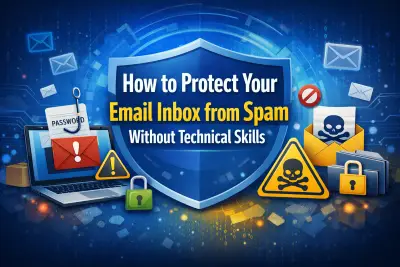
How to Protect Your Email Inbox from Spam Without Technical Skills
If your inbox feels like it’s under attack from junk offers, fake delivery alerts, suspicious invoices, and alarming “urgent account warnings,” you’re definitely not alone. Spam emails have become more aggressive, more convincing, and more frequent than ever before.
The reassuring news? You don’t need technical expertise or advanced cybersecurity training to take back control of your inbox. With a few smart adjustments and consistent habits, you can dramatically reduce junk mail, block phishing attempts, and protect both your personal and business communication.
This guide explains how to protect your email inbox from spam using simple, practical steps that anyone can follow.
Why Spam Emails Keep Increasing
Spam isn’t random. It’s a highly profitable operation.
Cybercriminals send millions—sometimes billions—of emails every day because even a tiny response rate can generate significant income. If only a small percentage of recipients click a link or fall for a scam, the effort pays off.
Spam continues to grow for several reasons. Massive data breaches expose millions of email addresses at once. Many websites collect user information and resell it to marketing databases. Automated bots can generate and send emails at scale, making it cheap and easy for spammers to operate. At the same time, phishing scams are becoming increasingly sophisticated, often mimicking legitimate companies so convincingly that it’s difficult to tell the difference.
Understanding this ecosystem is the first step toward stopping spam from taking over your inbox.
How Spammers Get Your Email Address
Most spam problems begin long before the first unwanted message appears.
Your email address may be exposed when you sign up for online giveaways, discounts, or free downloads. It can also be leaked through data breaches from online services you trust. Posting your email publicly on websites, forums, or social media platforms makes it easy for automated bots to scrape it. Using the same email address for shopping, newsletters, social media, and personal communication increases exposure.
Sometimes, even clicking “unsubscribe” in a malicious email confirms that your address is active. That confirmation alone can lead to even more spam.
Once your email ends up in spam folders, messages can multiply quickly.
The Real Risks of Ignoring Spam
Spam is more than just annoying clutter. It can be dangerous.
Phishing attacks are designed to trick you into revealing passwords, credit card numbers, or sensitive personal information. Financial scams often disguise themselves as unpaid invoices or urgent bank notifications. Some spam emails contain attachments that secretly install malware on your device. Others direct you to fake login pages that steal your credentials.
Learning how to protect your email inbox from spam is not just about organization—it’s about safeguarding your identity and finances.
Simple Habits That Make a Big Difference
You don’t need complicated tools to reduce spam. Small, consistent actions can make a dramatic difference.
One of the most important habits is properly marking spam rather than simply deleting it. When you click “Report Spam” or “Junk,” your email provider learns to recognize similar messages in the future. Over time, this strengthens your filter.
Never reply to spam emails. Responding confirms that your address is active and monitored, which often increases unwanted messages. Similarly, avoid clicking suspicious links—even if you’re curious. Some links include tracking mechanisms that alert spammers that your email is valid.
It’s also wise to keep your primary email private. Share it only when necessary. For newsletters, promotions, and online shopping, consider using a secondary email address. Separating communication reduces clutter and limits exposure.
Blocking repeat offenders can help, but it’s more effective when combined with proper spam reporting. Keeping your passwords up to date and enabling two-factor authentication adds another layer of security.
These habits may seem small, but together they significantly reduce spam over time.
Using Spam Filters Effectively
Most email providers offer built-in spam filters, but many people never adjust them. These filters are powerful when used correctly.
Make it a habit to check your spam folder weekly. Occasionally, legitimate messages may be mistakenly filtered. Add trusted contacts to your safe sender list to prevent this. You can also create custom filters to automatically move or block emails containing certain keywords commonly associated with spam.
Instead of repeatedly blocking individual email addresses, block entire domains when possible. Spammers often change addresses but keep the same domain structure. This small adjustment improves long-term filtering effectiveness.
When properly configured, spam filters become your first line of defense.
Safe Unsubscribing vs. Risky Links
Unsubscribing can be helpful—but only in the right situations.
If you recognize the sender, remember signing up for the service, and the email looks professional, unsubscribing is generally safe. Legitimate companies include unsubscribe options to comply with regulations.
However, if the message appears suspicious, contains urgent threats, or comes from an unknown sender, avoid clicking anything—including the unsubscribe link. In these cases, marking the email as spam is safer.
When in doubt, don’t interact.
Recognizing Phishing Attempts
Phishing emails are designed to look legitimate. They often create urgency to pressure you into acting quickly.
Watch for warning signs such as urgent requests for account verification, unexpected attachments, slightly misspelled website domains, or threatening language. Legitimate companies rarely ask for passwords or payment information through email.
If you receive a message claiming to be from your bank or another trusted service, visit the company’s official website directly instead of clicking the email link. This simple step can prevent serious consequences.
Email Aliases: A Smart Anti-Spam Strategy
Email aliases are an underrated but powerful strategy.
Many email providers allow you to add identifiers to your main address. For example, you can create variations like:
These aliases still deliver mail to your main inbox but allow you to see where messages originate. If one alias begins receiving excessive spam, you can filter or disable it without affecting your primary address.
This method provides both organization and long-term spam control.
Protecting Business Email Accounts
Spam is not just a personal issue—it’s a business risk.
Unfiltered spam can reduce productivity and damage professional credibility. Employees may accidentally fall for phishing attacks that compromise company data. Businesses should consider implementing domain-based filtering and training staff to recognize suspicious messages.
Using role-based email addresses such as support@ or info@ also helps manage communication more efficiently. Security measures like SPF and DKIM authentication further protect domain integrity.
For businesses managing multiple accounts, dedicated security solutions such as Email Protector Software provide advanced filtering, phishing detection, and real-time threat blocking. These tools add a stronger defense layer beyond standard email filters.
When to Use Email Protection Tools
Built-in spam filters are effective, but sometimes additional protection is necessary—especially for businesses or individuals managing several accounts.
Advanced protection tools can scan for malware, detect phishing patterns, block suspicious attachments, and monitor inbox activity in real time. They act as a safety net, stopping threats before they reach you.
While not mandatory for everyone, these tools offer peace of mind for users who want maximum protection.
A Simple Inbox Protection Checklist
If you want to take action today, focus on these essentials:
Enable and regularly train your spam filters.
Report spam instead of deleting it.
Avoid clicking suspicious links or attachments.
Use separate email accounts for promotions and personal communication.
Activate two-factor authentication.
Update passwords regularly.
Consistency is key. Following these steps steadily improves inbox security.
Conclusion
Spam emails may feel relentless, but they are not unstoppable. With smart habits, effective filtering, and cautious online behavior, anyone can maintain a clean and secure inbox.
Learning how to protect your email inbox from spam empowers you to reduce junk messages, prevent phishing attacks, and protect your digital identity. The steps are simple, practical, and accessible—even for beginners.
If you want added reassurance, security tools like Email Protector Software can automate protection and strengthen your defenses.
Take control of your inbox today. Your future self will thank you.
Frequently Asked Questions
Why am I receiving so many spam emails?
Your email address may have been exposed through data breaches, online sign-ups, or public listings. Automated tools also generate and test email combinations to find active accounts.
Can spam emails hack my account?
Spam emails alone cannot hack you. However, clicking on malicious links or downloading infected attachments can compromise your account or device.
Is it safe to unsubscribe from spam messages?
Only unsubscribe from emails you recognize and trust. If the sender looks suspicious, mark the message as spam instead.
How long does it take to reduce spam?
Results vary, but consistently reporting spam and applying filters usually improves inbox quality within a few weeks.
Should I change my email address?
Changing your email is a last resort. In most cases, strengthening filters and improving habits is enough.
Does two-factor authentication stop spam?
It won’t reduce spam volume, but it significantly protects your account if your password is compromised.